REAL-TIME MEDIA PLATFORM

Control.
Connect. Play.
Everything.

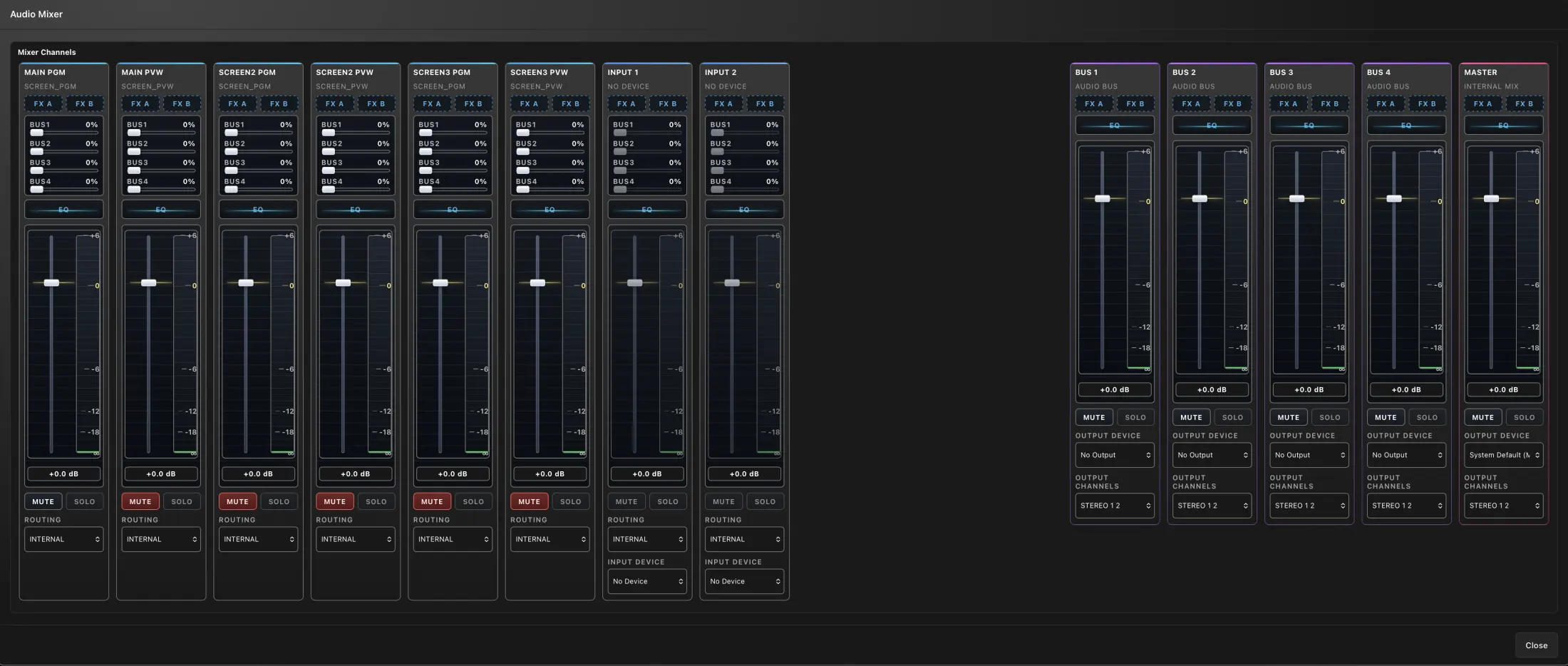
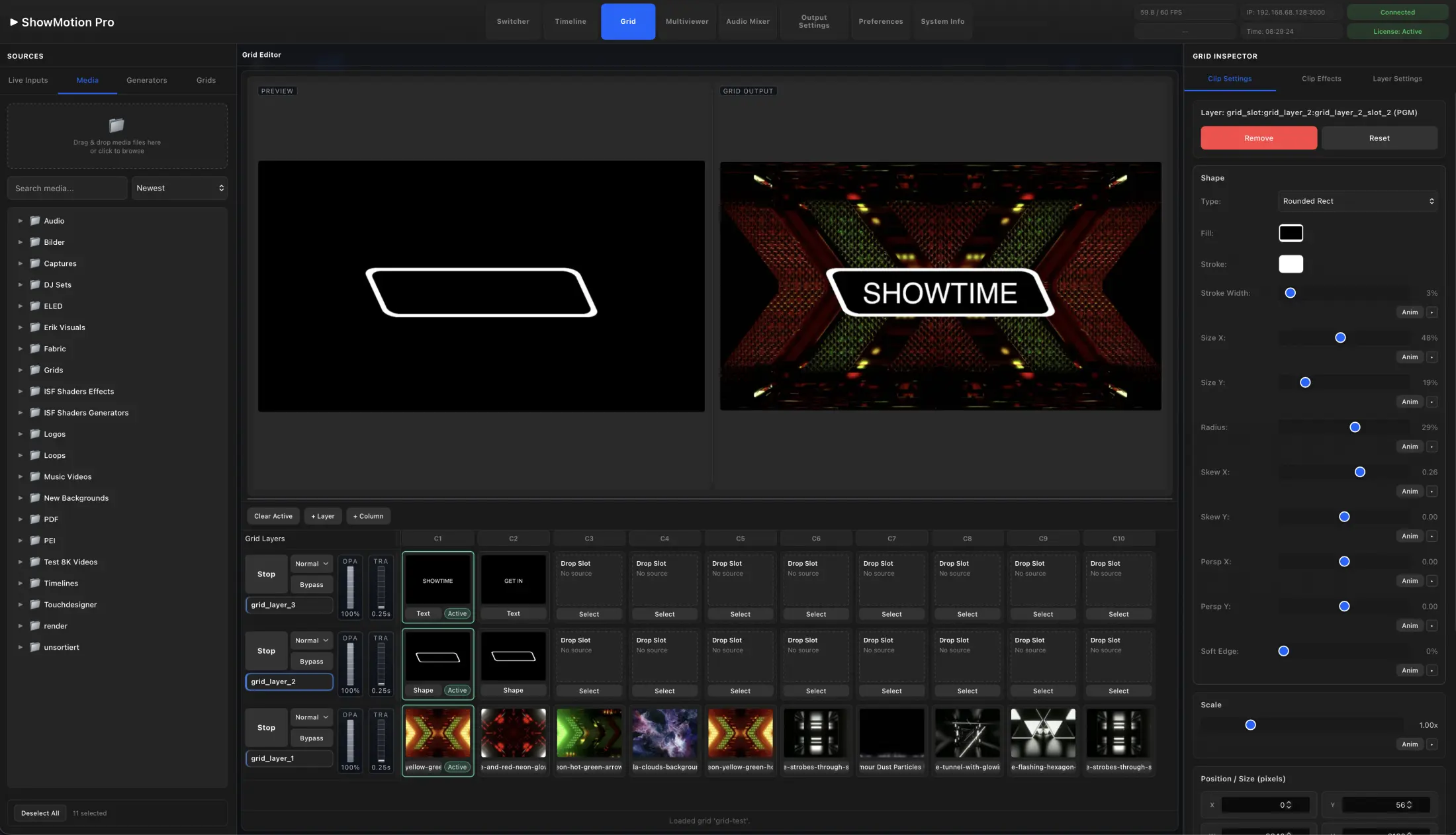
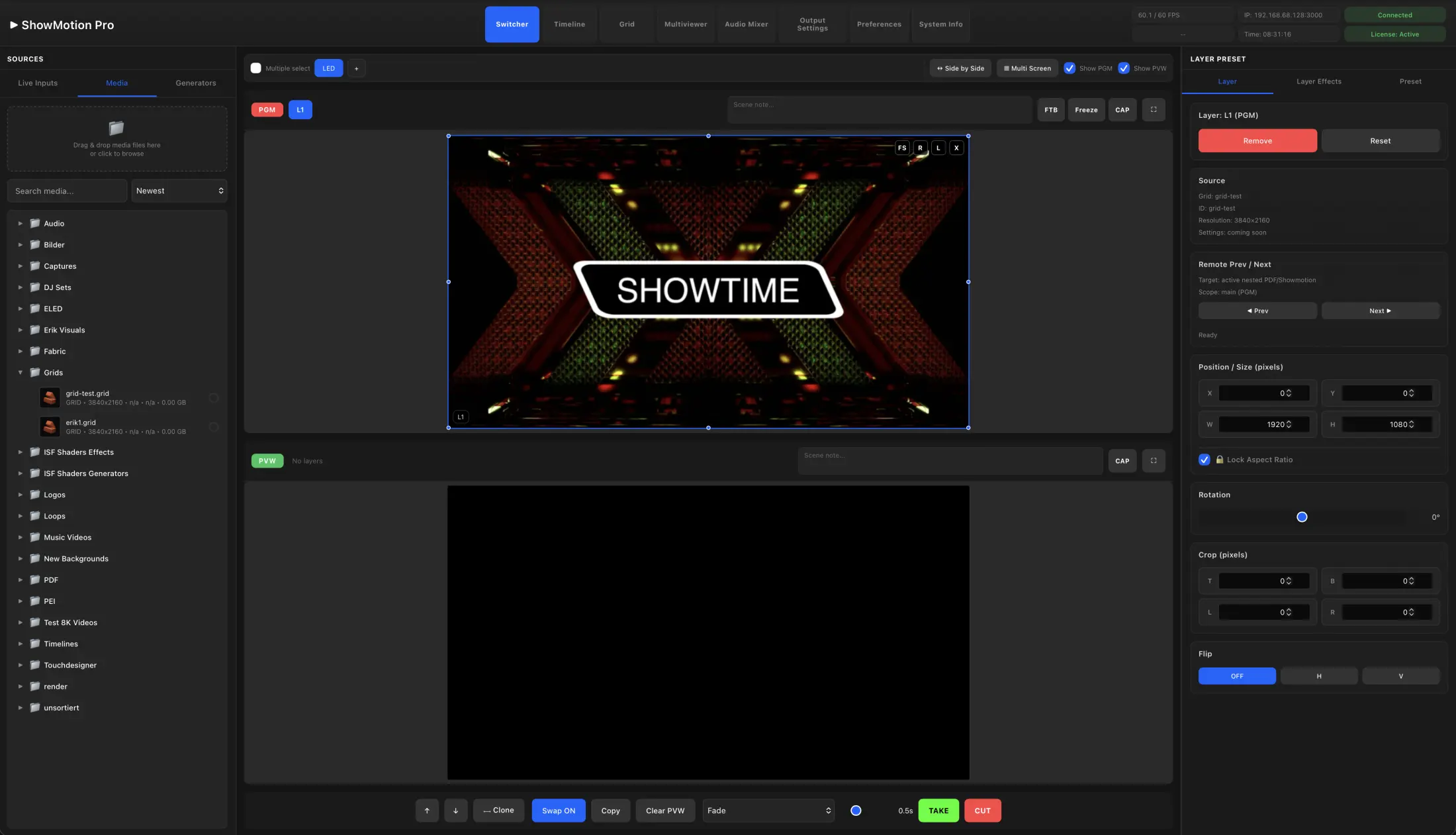
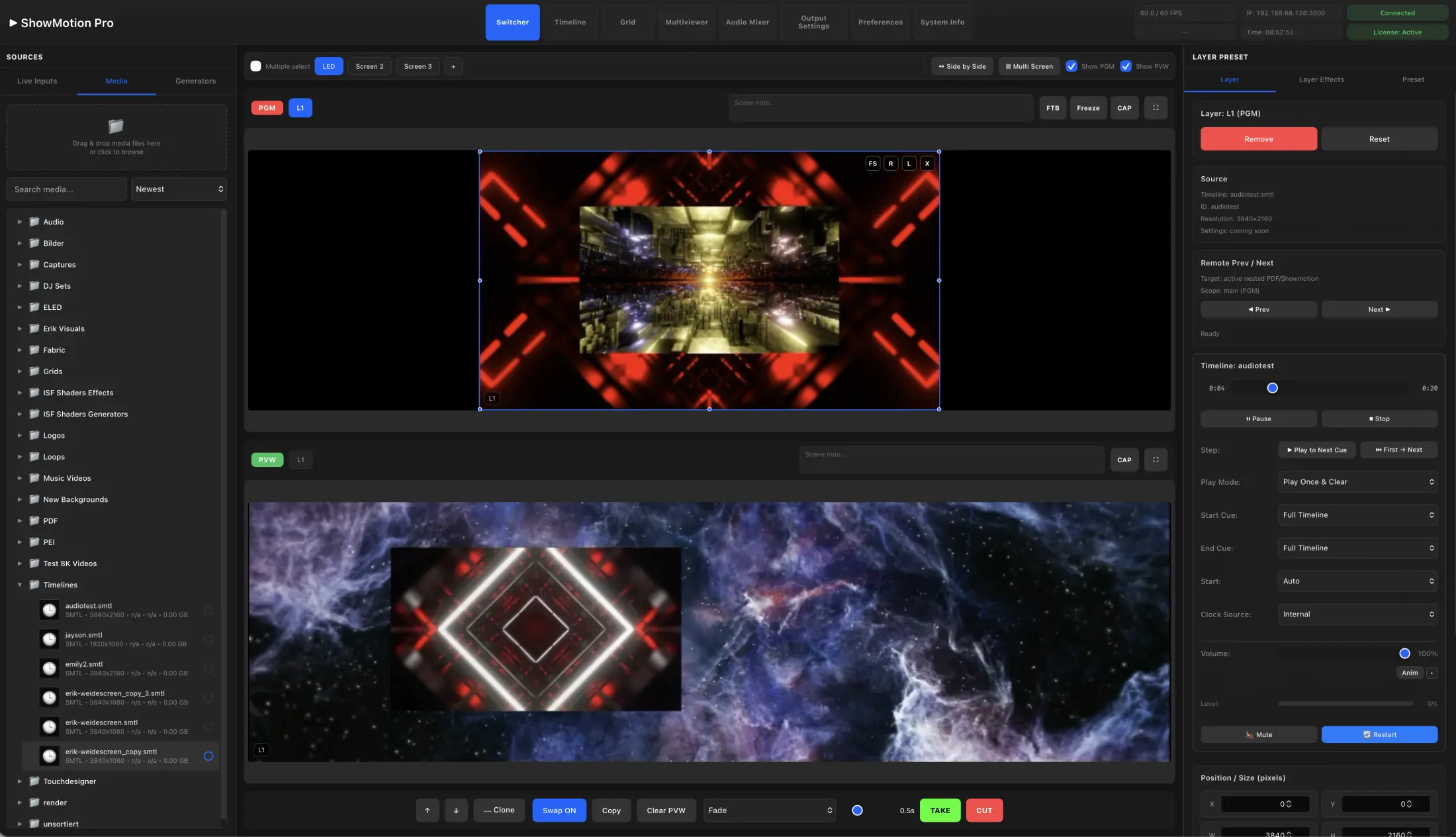
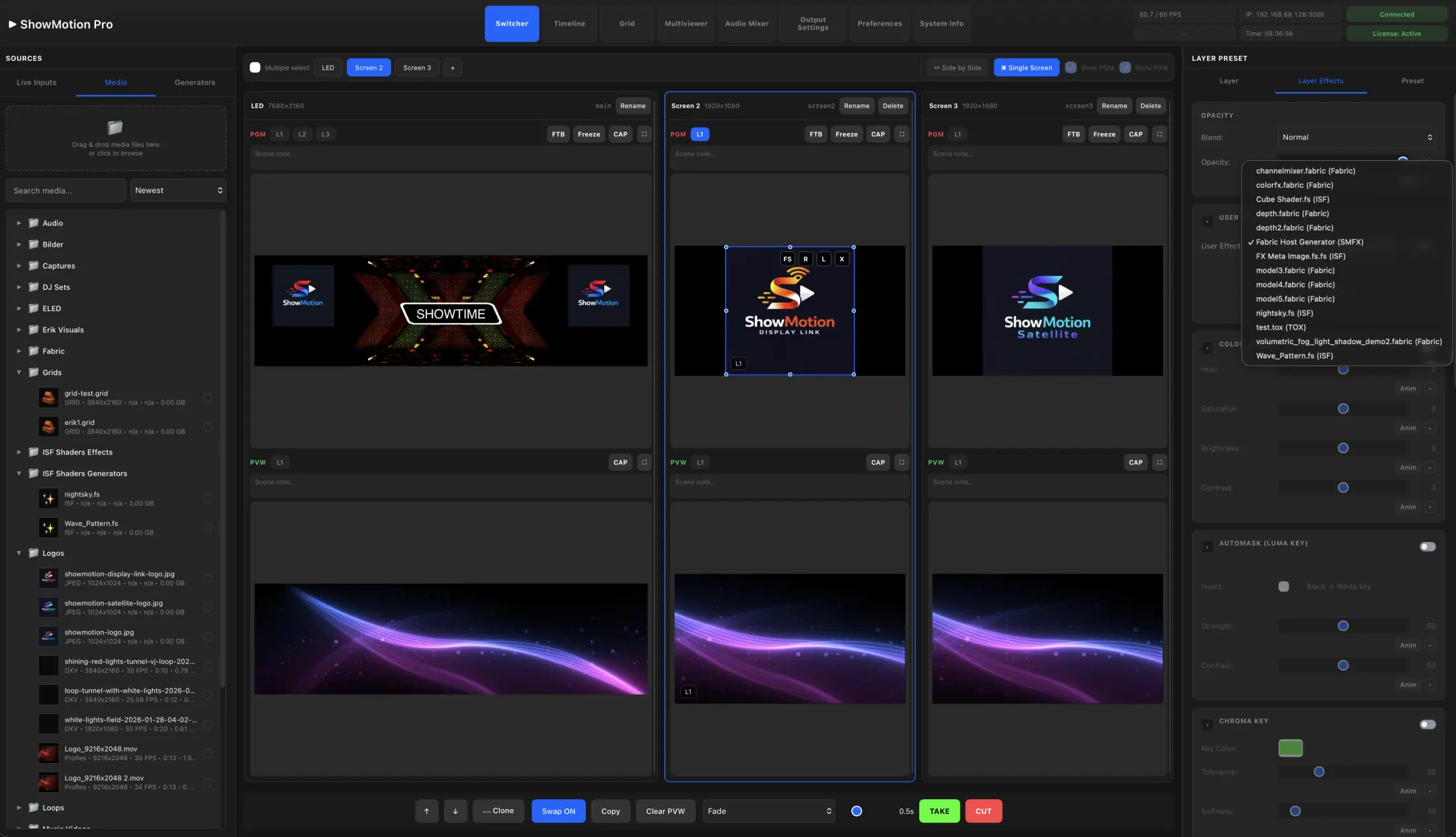
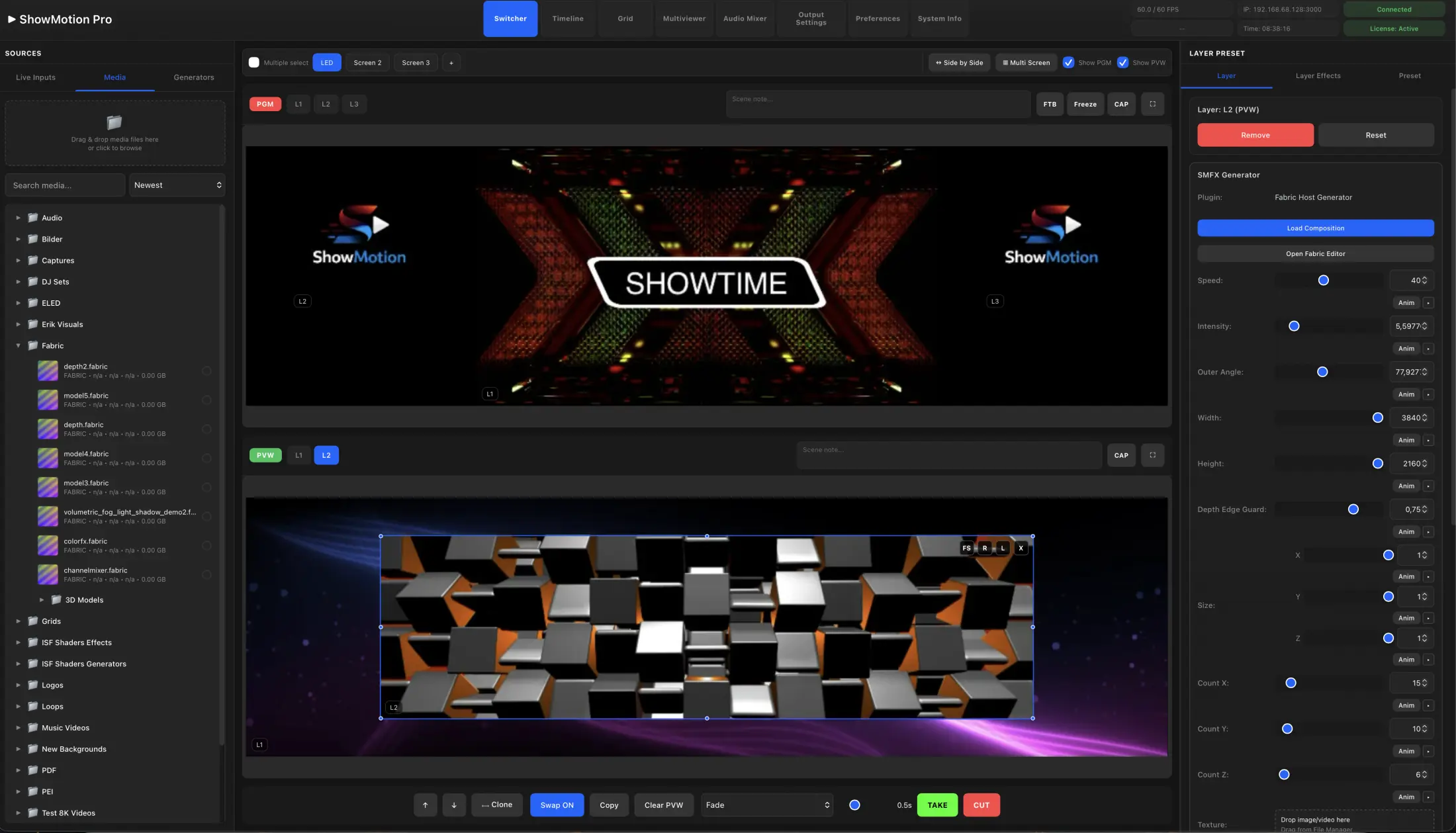
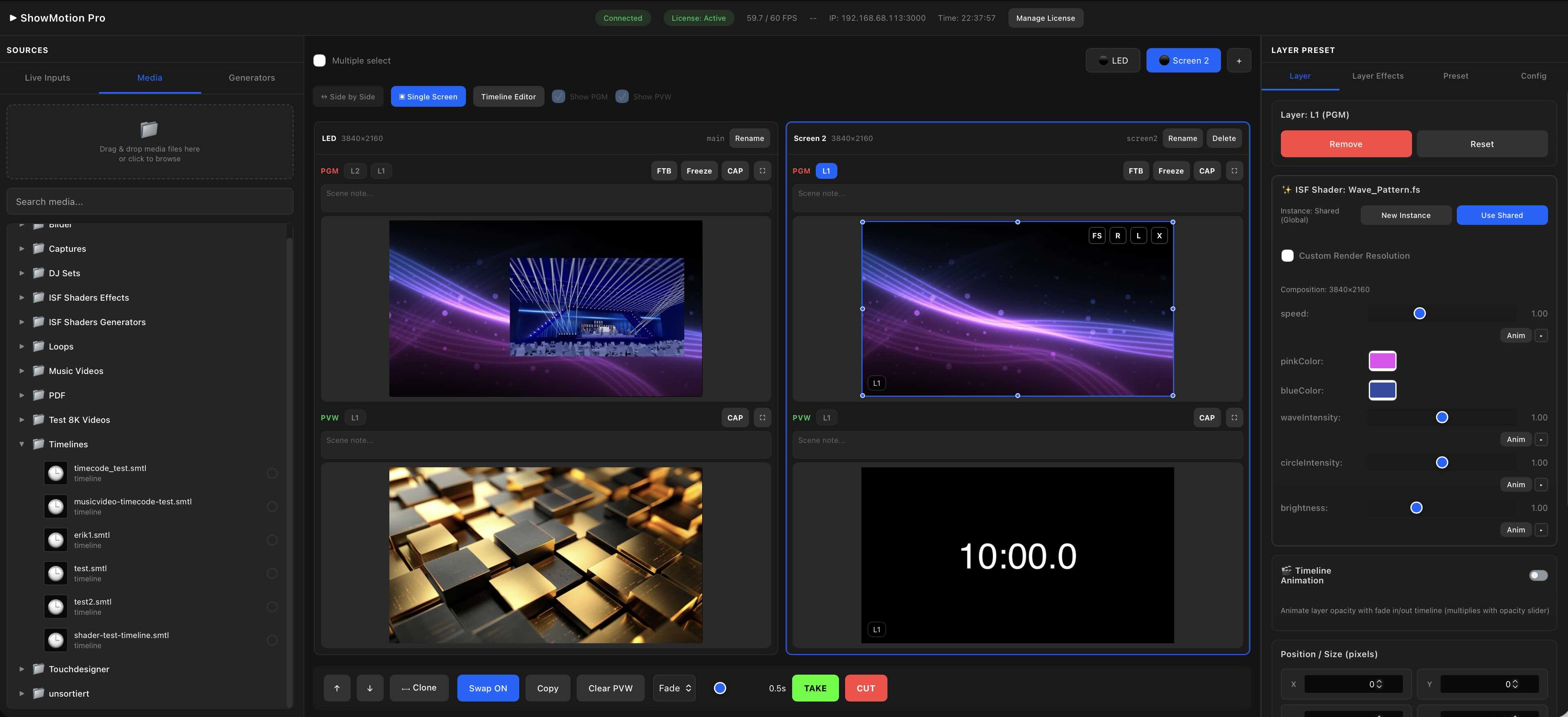
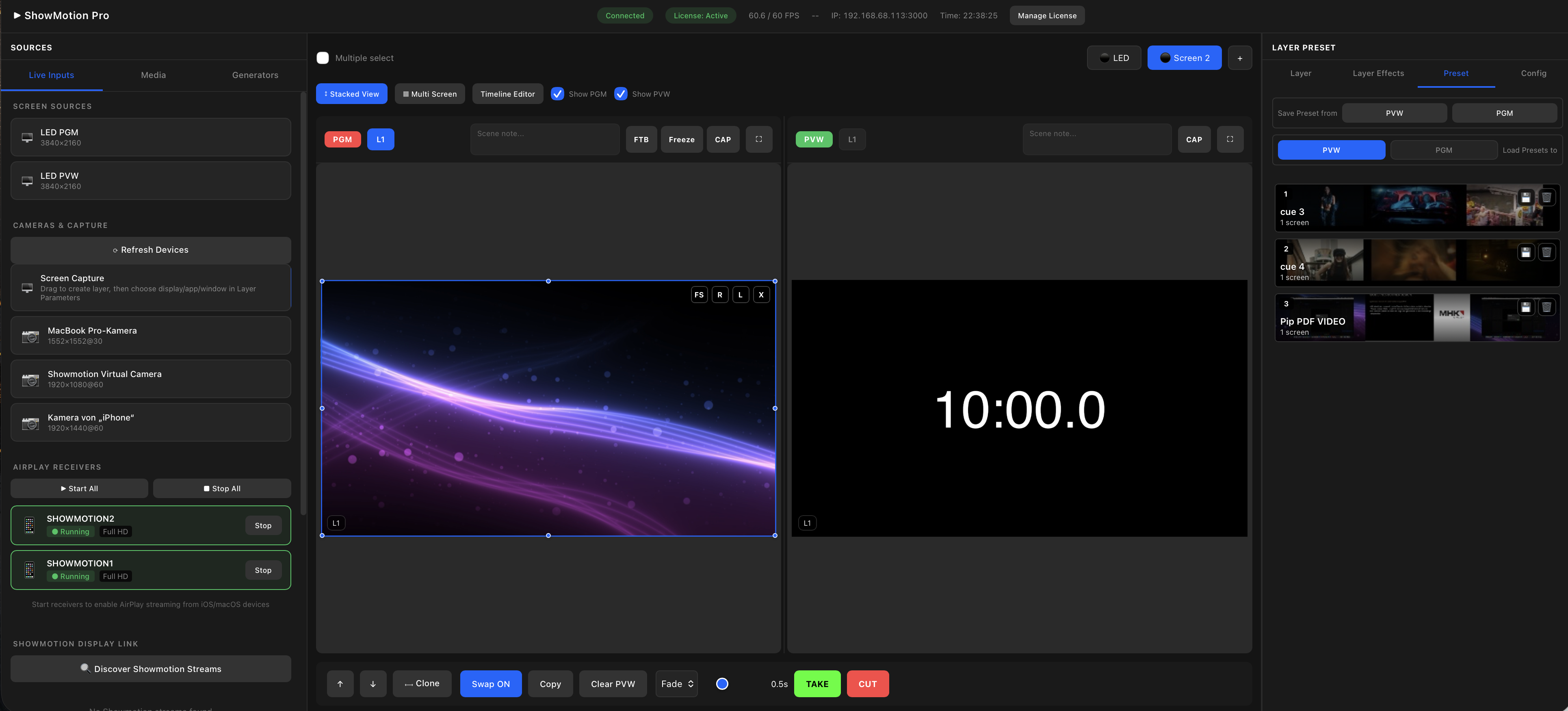
SHOWMOTION is a next-generation real-time media server, switcher and control platform built for live production, broadcast and immersive installations for APPLE SILICON Systems. Switcher Mode delivers a real hardware-style PGM/PVW workflow with confident live operation.

  • • Ultra-low latency Metal render engine
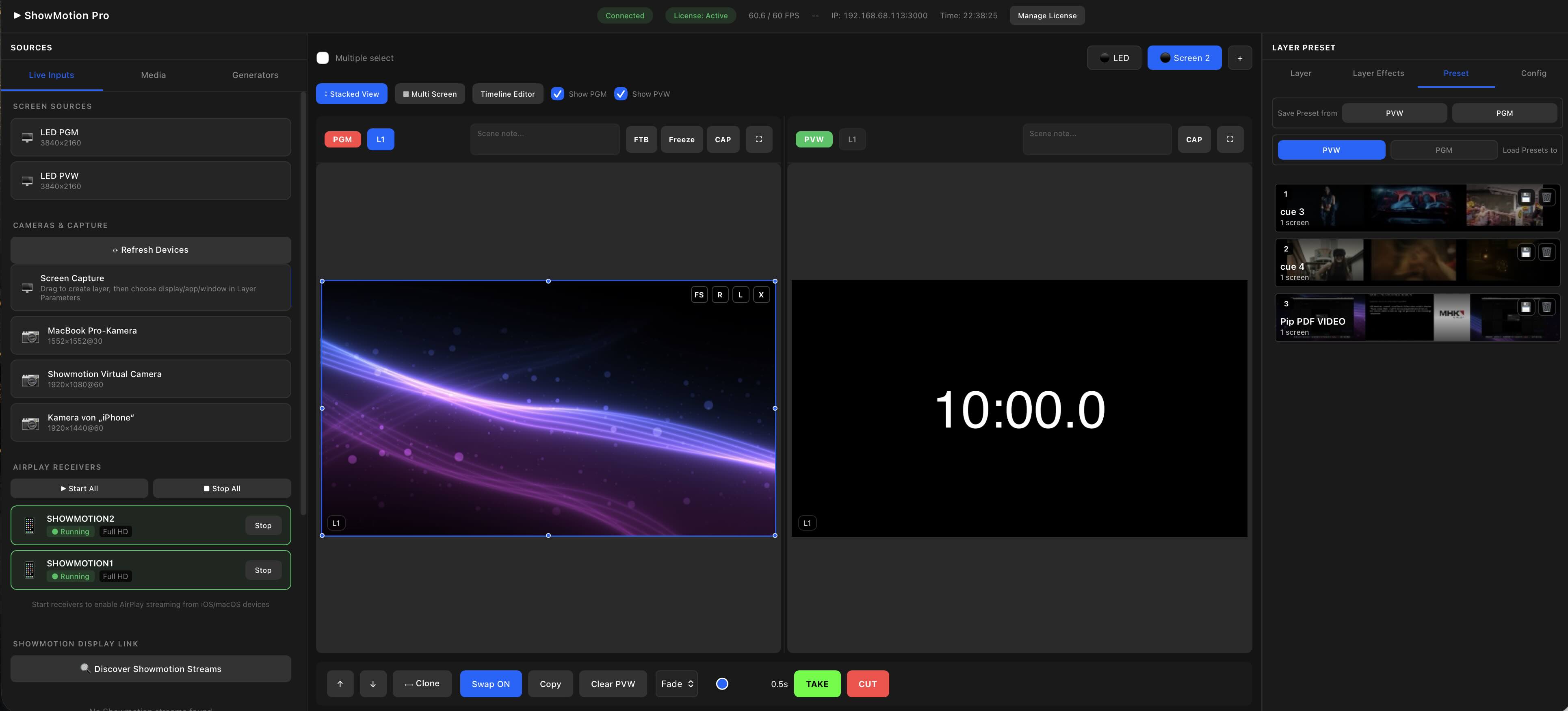
  • • Switcher Mode with real hardware-style PGM/PVW operation
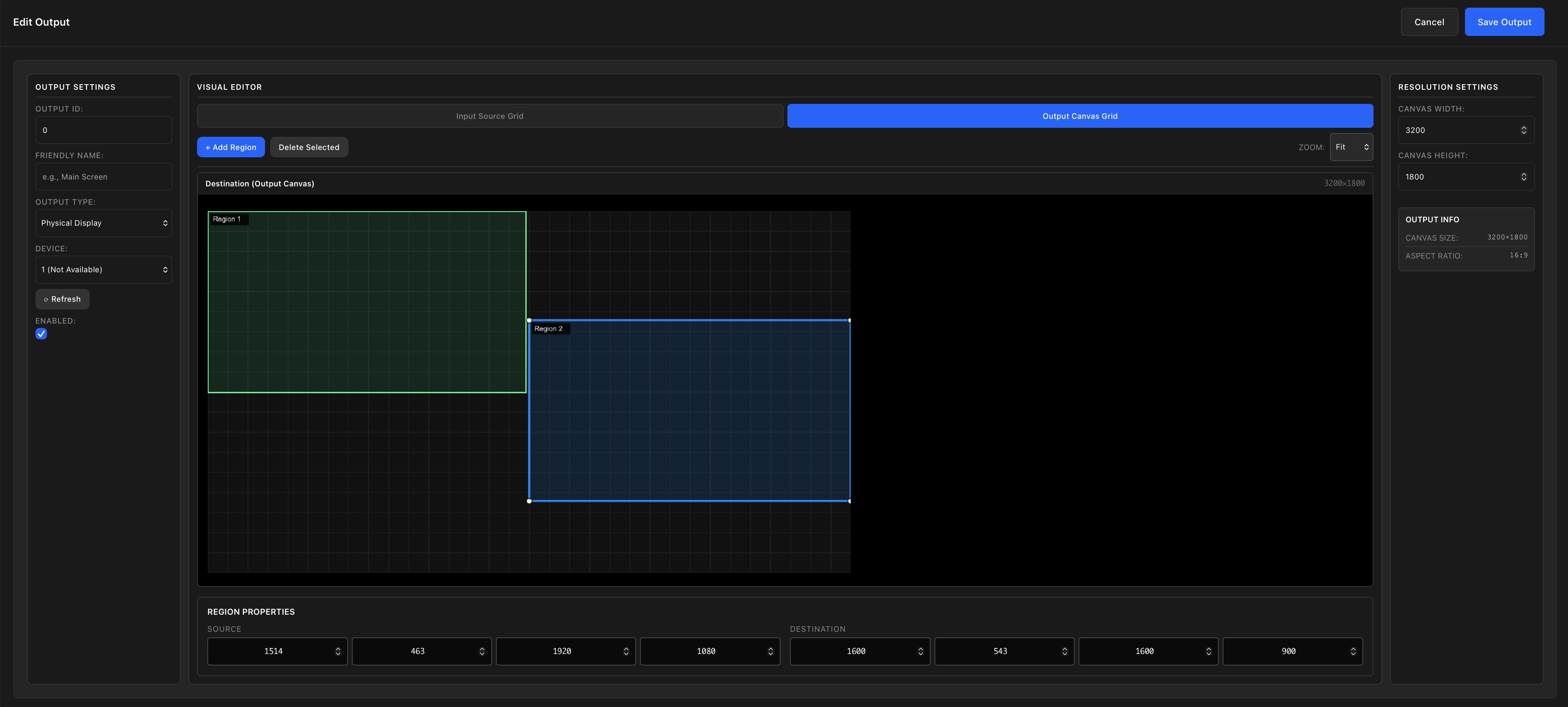
  • • Multi-screen output and advanced mapping
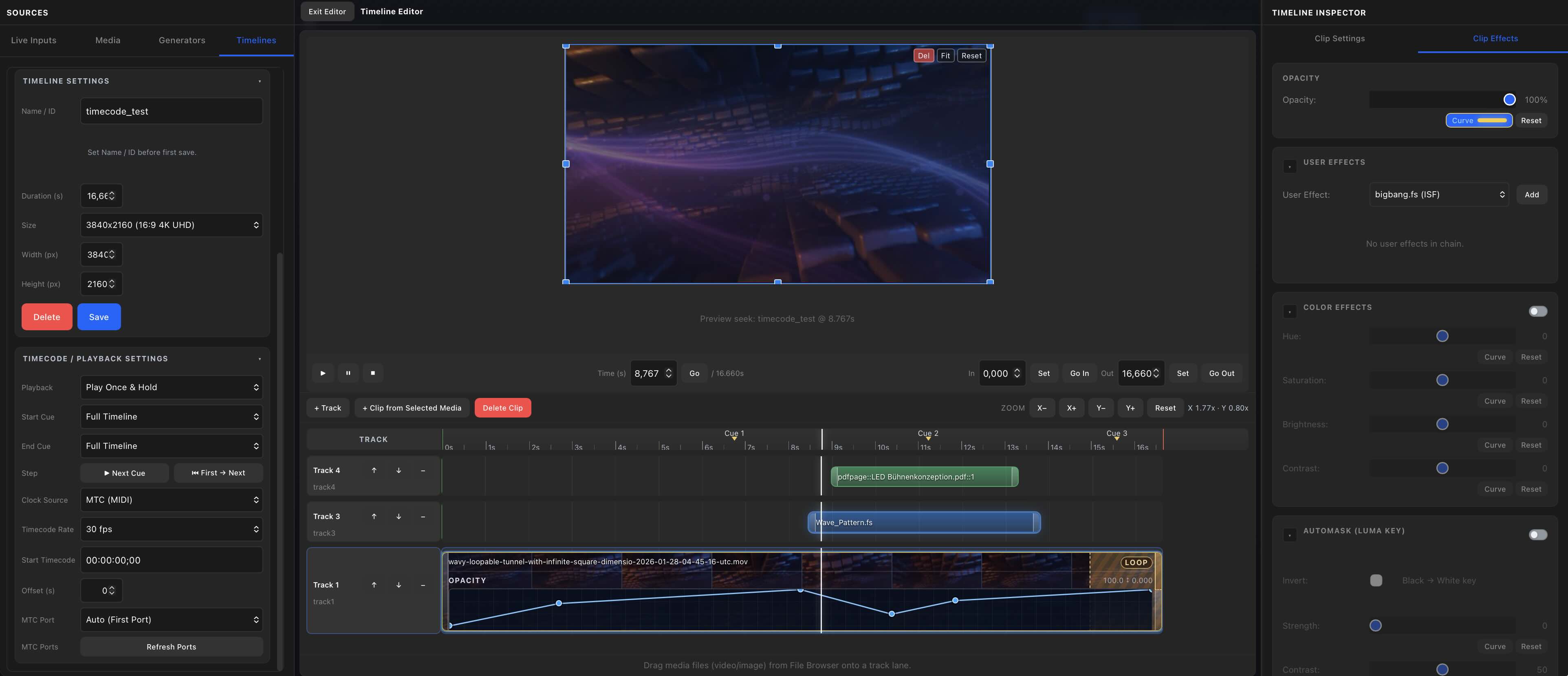
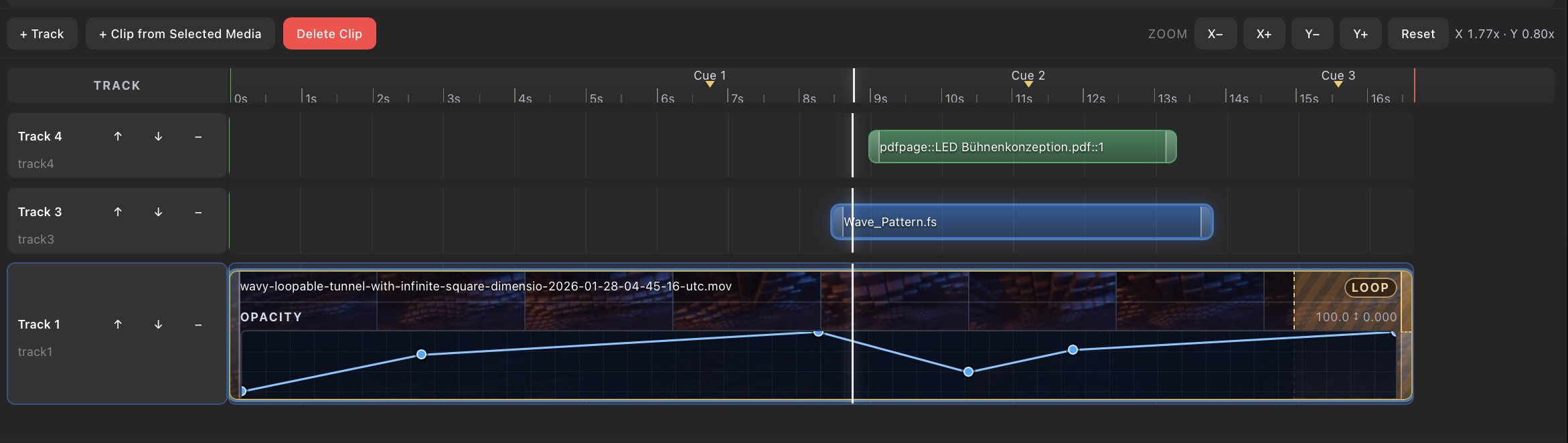
  • • Real-time timeline and cue system
  • • MTC/LTC/ARTNET Timecode Generator and Receiver
  • • Network-based workflows (NDI, Syphon, Showmotion Display Link Protocol, Airplay)
  • • Remote and collaborative control
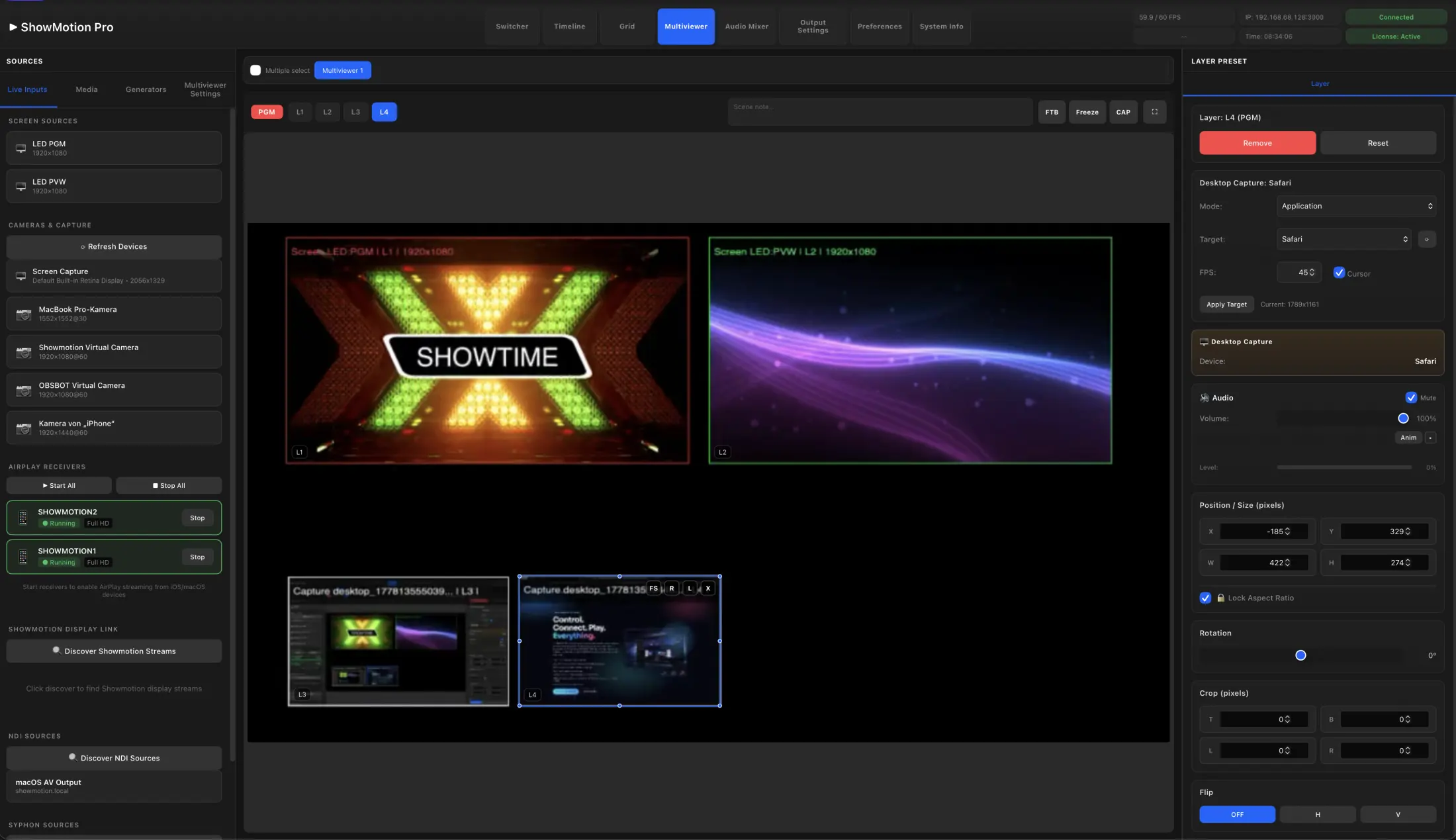
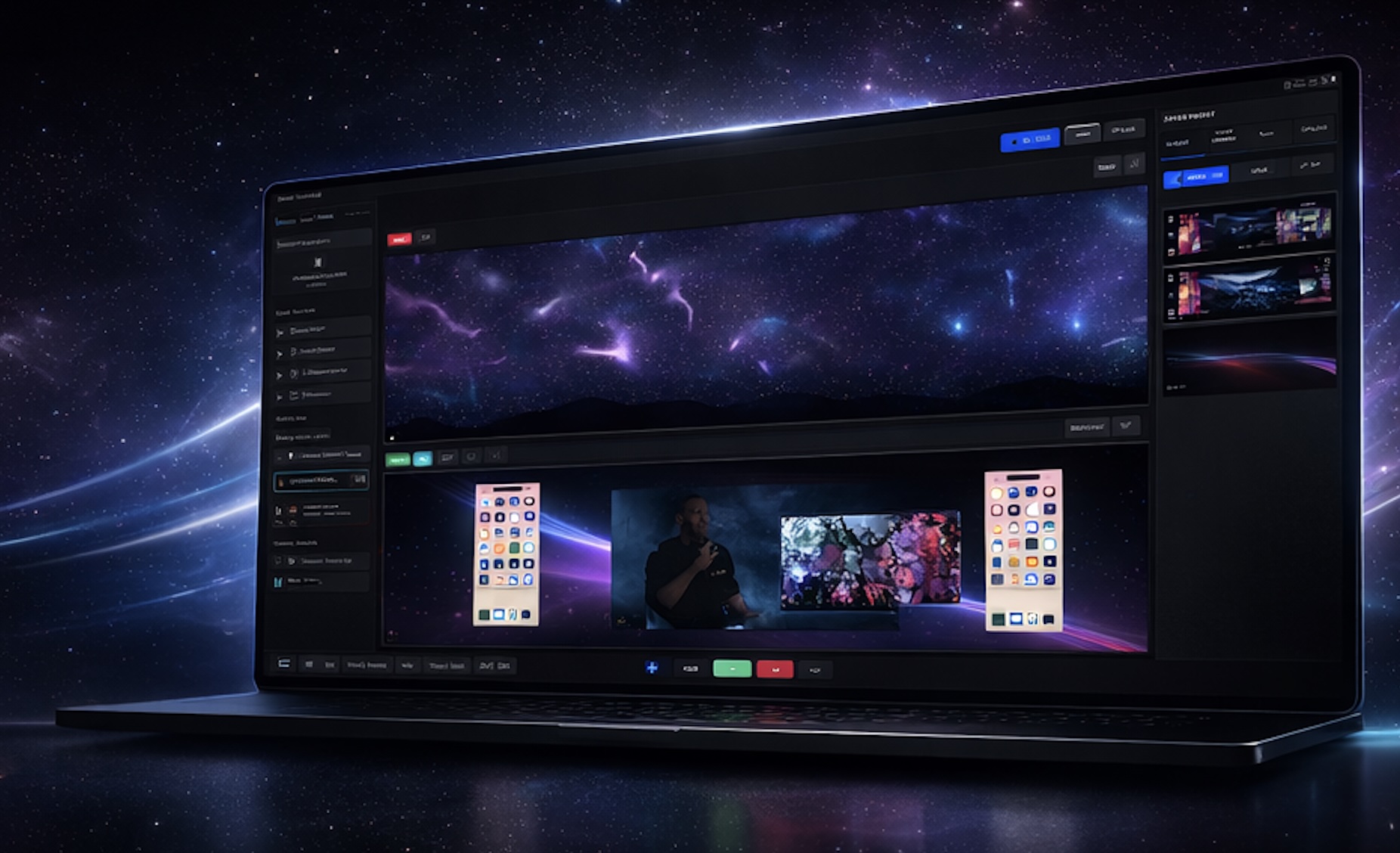
ShowMotion running on a laptop
ShowMotion logo ShowMotion Satellite logo ShowMotion Display Link logo

PRODUCT LINE

One platform. Three production roles.

CORE SYSTEM

SHOWMOTION PRO

  • Central Media Server and Switcher
  • Multimedia Playback: Movies, Stills, PDFs, ISF, Timer, Timelines
  • Physical Inputs: Blackmagic, AJA, Cameras
  • Stream Inputs: NDI, Syphon, Showmotion Display Link Protocol, Airplay
  • Physical Outputs: HDMI / Displayport / USBC / BLACKMAGIC / AJA (Multi-Monitor and Advanced Mapping)
  • Stream Outputs: Showmotion Display Link Protocol / NDI / Syphon
  • Future ST 2110 / IPMX input and output support
  • Other: Online Streams and direct Recording
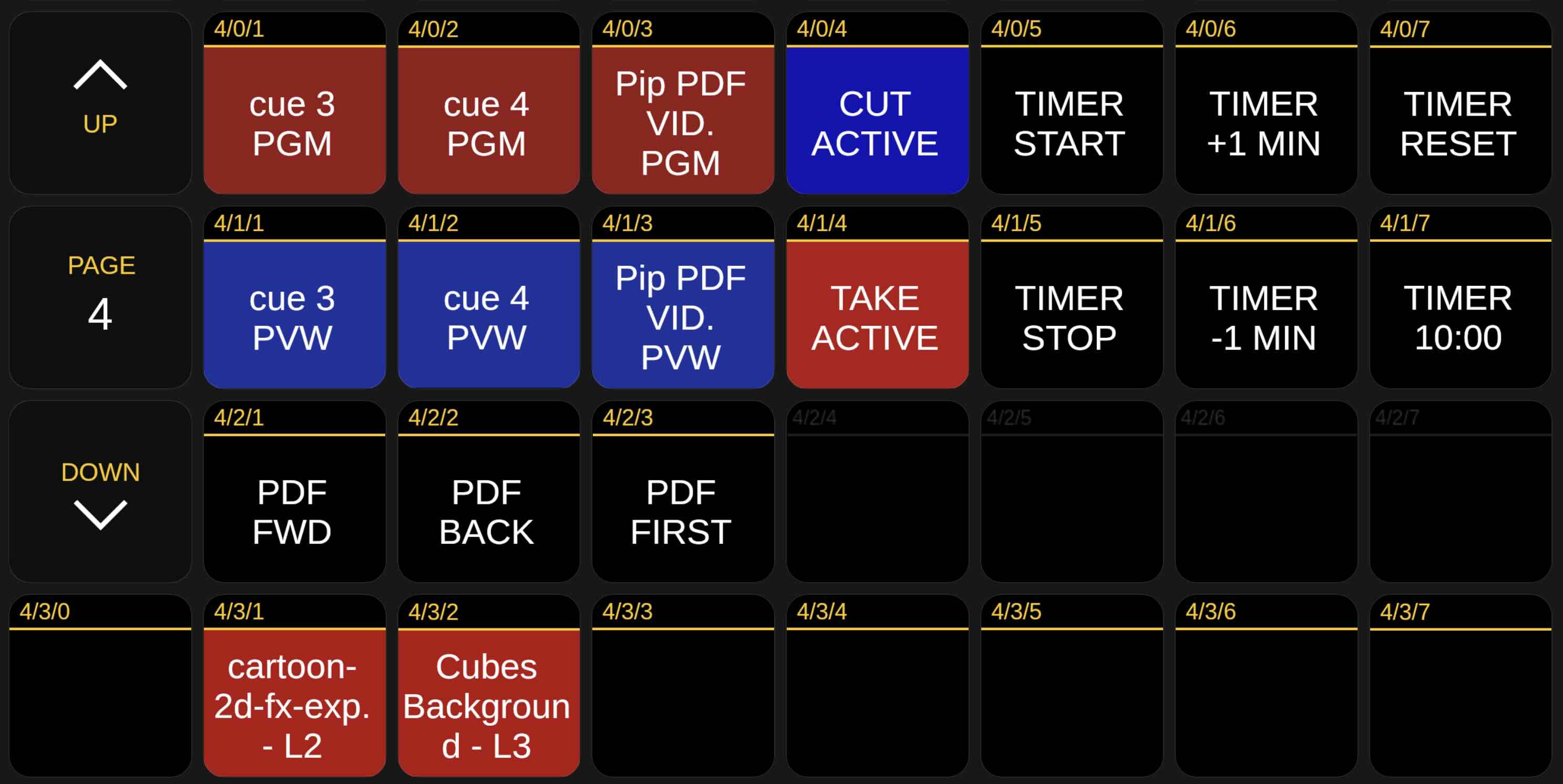
  • Remote Control: Web Browser + Bitfocus Companion + API

CAPTURE NODE

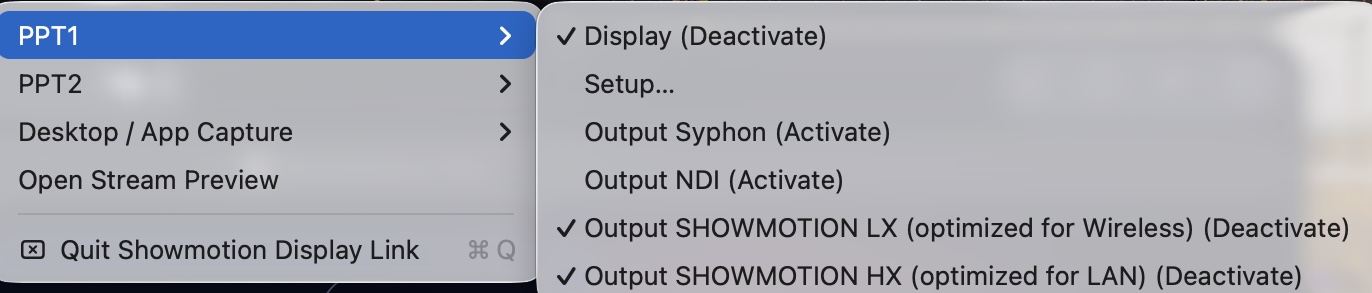
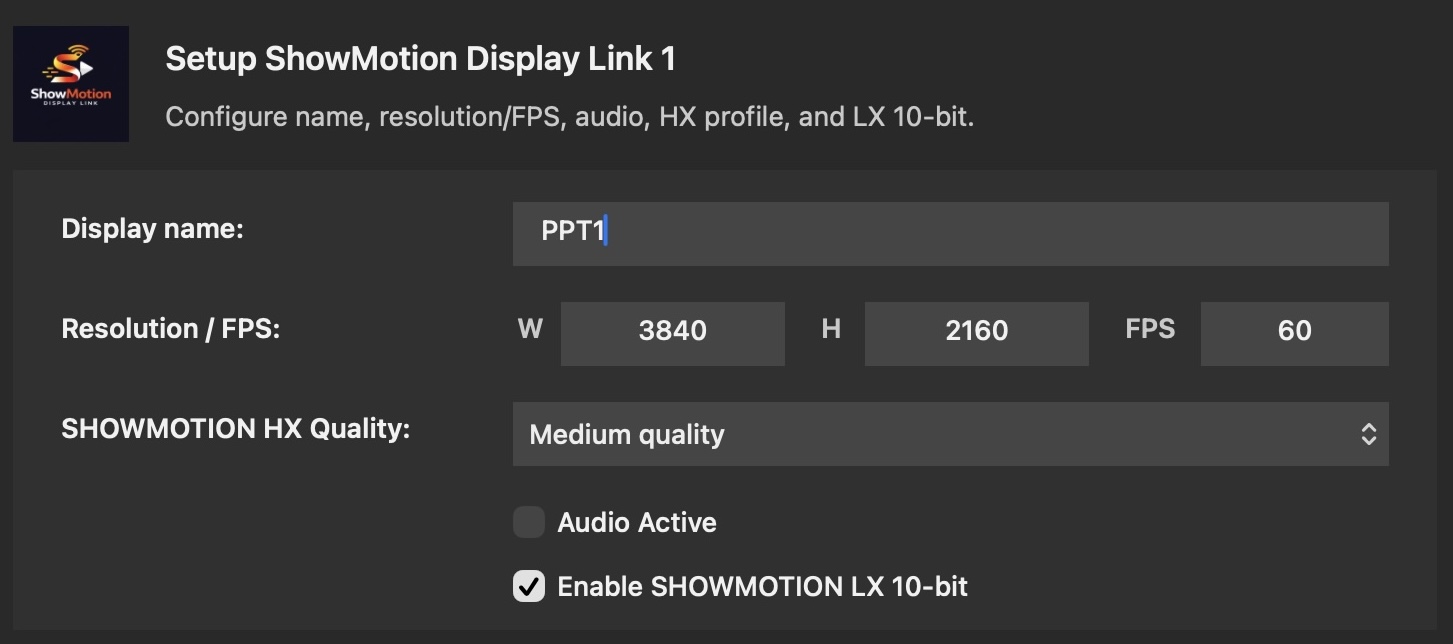
SHOWMOTION DISPLAY LINK

  • Generates Virtual Monitors (2 Screens)
  • Desktop Capture
  • Streams via Showmotion Display Link Protocol
  • Showmotion Display Link Protocol low bandwith up to 8192x2160 resolution in less than 100mbit (H265)
  • Showmotion Display Link Protocol high bandwith up to 16384x4320 resolution in RGBA up to 10 gbit
  • Showmotion Display Link Protocol encode/decode latency: about 7 ms end to end
  • Typical glass-to-glass latency: around 40 ms at 4K@60p and 22 ms at 4K@120p
  • Feeds directly into Showmotion Pro

PLAYBACK NODE

SHOWMOTION SATELLITE

  • Platforms: macOS, iOS, Apple TV, Android
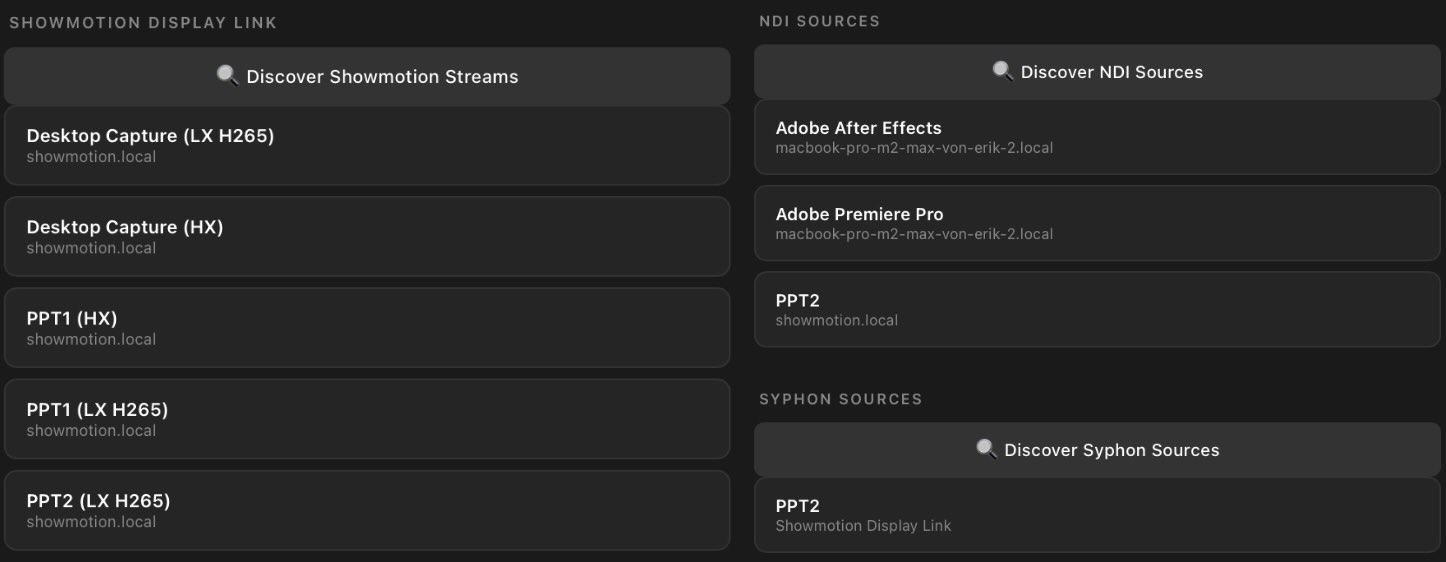
  • Receives Showmotion Display Link Protocol streams
  • Automatic Bonjour (DNS-SD) discovery: every Showmotion Satellite appears in the Core app as an output
  • No IP entry or complex network setup required
  • Used for distributed playback and monitoring
  • Includes Virtual Camera functionality

Interactive Ecosystem

Connected Production Ecosystem

Explore how inputs, the ShowMotion engine and outputs connect together in a single unified workflow with always-on signal flow visibility.

CORE CAPABILITIES

Built for live reliability and technical depth.

Ultra-Low Latency Render

Pure Metal pipeline with zero-copy decode paths for responsive playback and seamless transitions.

Advanced Effects Stack

HSB, chroma key, black/white key, mirror, borders, shadows, MetalFX upscale, and frame blending.

Control + Telemetry APIs

TCP JSON IPC, WebSocket events, FPS/frame-time telemetry, and runtime output control for custom tooling.

Switcher

The switcher runtime supports unlimited screen busses with full PVW/PGM operation and dependable CUT, TAKE, and FADE transitions for live execution.

Multi-Output Routing

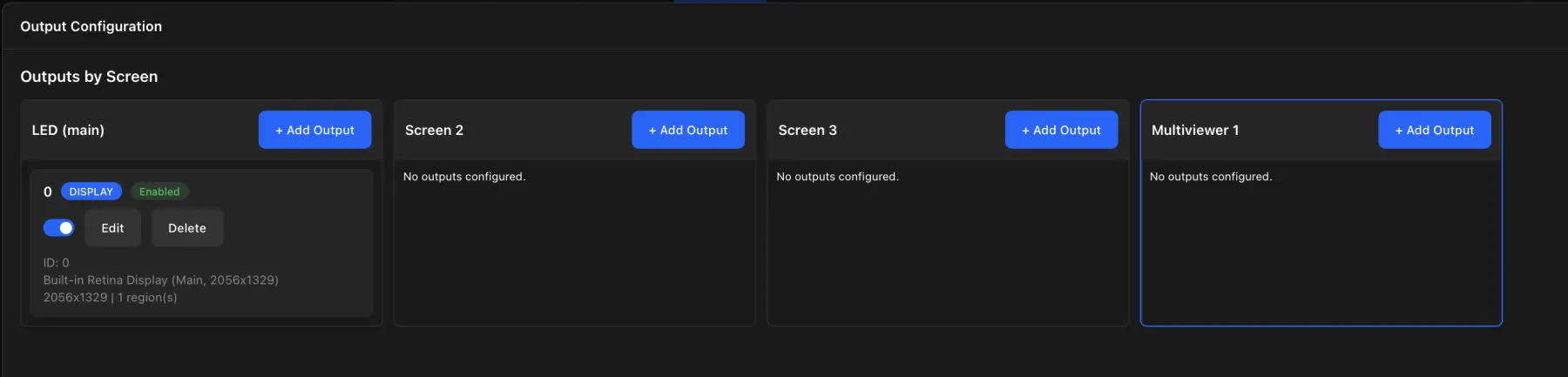
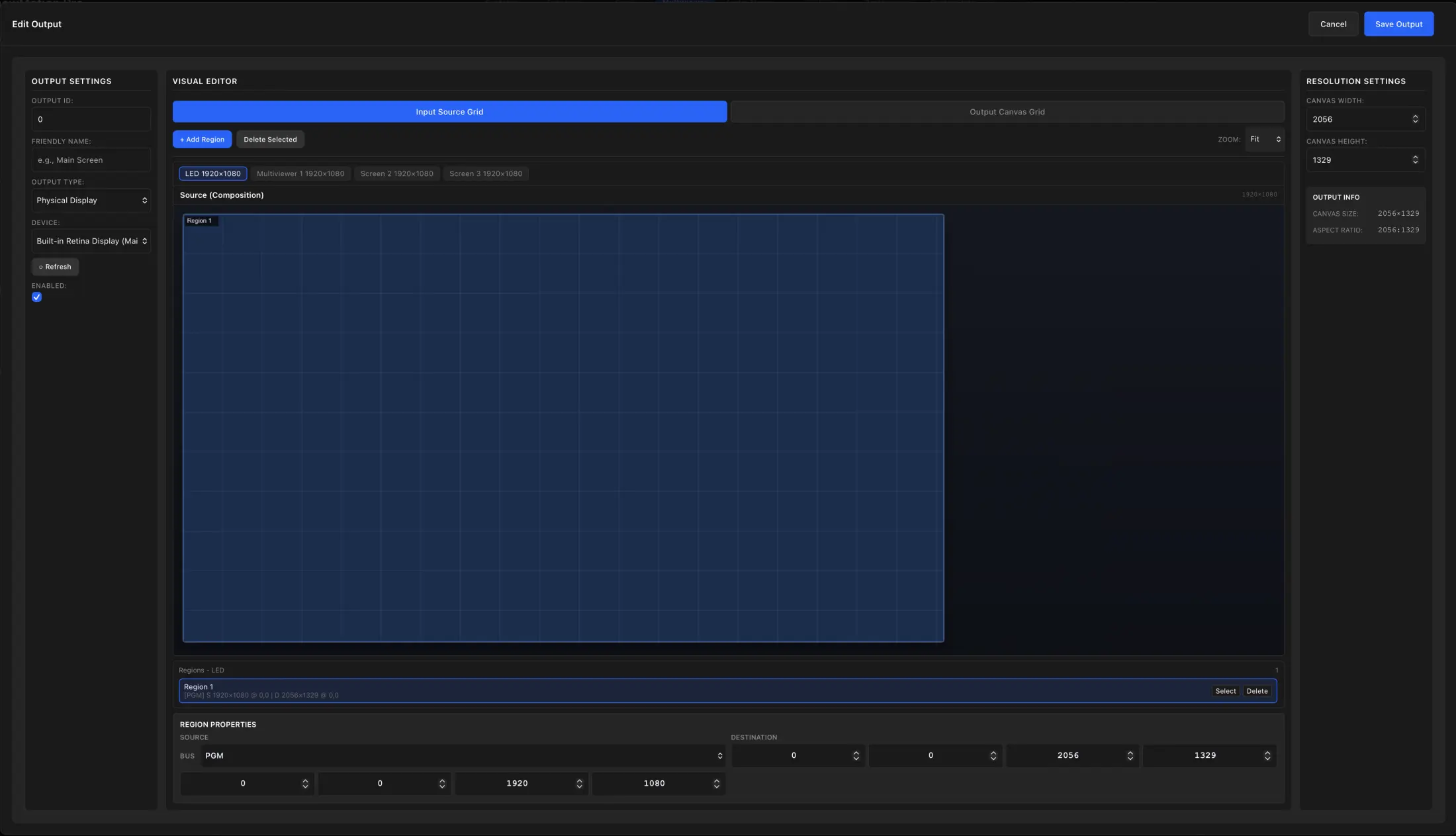
Display, DeckLink, AJA, NDI, Syphon, and Showmotion Display Link Protocol outputs with configurable regions, crop, scale, and placement.

Native AirPlay Receiver

Two integrated AirPlay receivers allow two simultaneous AirPlay streams, so presenters can join and run side by side with independent control in ShowMotion.

Playback System

Playback stays frame-accurate with seamless loops across ProRes and H264/H265 sources, while container clips keep timeline loops independent and stable.

Rendering

Integrated Metal effects for color, keying, and utility FX run in a GPU-native compositor with unlimited layers per screen for dense, responsive scene construction.

HDR / SDR / 10-Bit Pipeline

Unified HDR, SDR, and 10-bit render pipeline across playback, real-time compositing, and streaming outputs for consistent color fidelity from source to destination.

Realtime Timeline System

Edit timelines live with curve editing on every parameter, drop timelines directly into the switcher as sources, and run shows with a smart cue system plus timecode-driven playback.

Video Engine

ProRes, H264, and H265 playback runs through Apple Media Engine for near-zero decode overhead, with headroom for up to eight simultaneous 8K ProRes 444 streams.

Presentation + Companion

Integrated Timer and PDF Presenter are built directly into ShowMotion, with a fully dynamic Bitfocus COMPANION plugin for live control, feedback, and fast operator workflows.

Smart Preset System

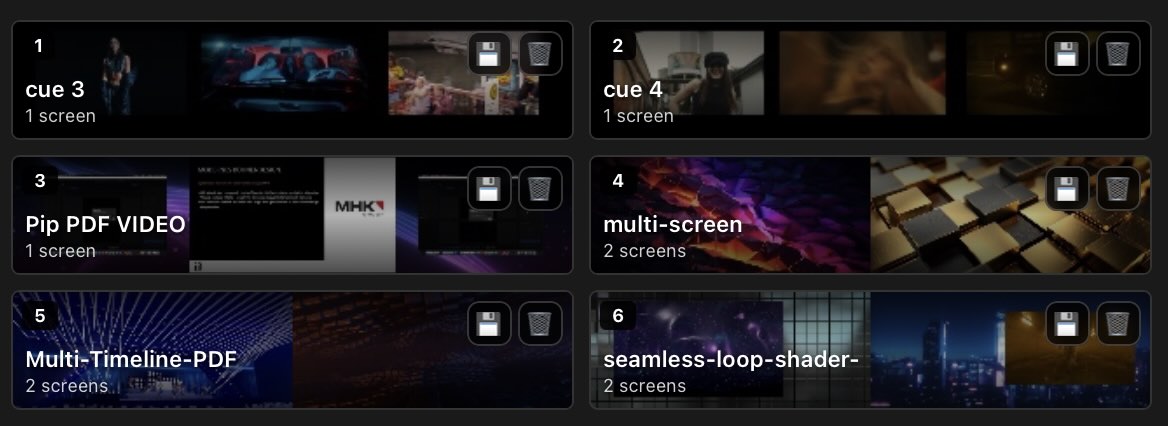
In switcher mode, smart presets can be loaded directly into PVW or PGM with stored fade transitions, and each preset can target either single-screen outputs or coordinated multi-screen layouts.

Scalable Apple Silicon Performance

ShowMotion runs across the full Apple Silicon Mac range, from MacBook-class systems to M3 Ultra machines. Performance scales directly with host hardware while fully utilizing the Apple silicon SoC and Media Engine for decode, playback, and render.

ISF and TouchDesigner

Use Interactive Shader Format (ISF) shaders or TouchDesigner TOX as effects or generators, then manipulate them in real time with the animation tool in Switcher mode or with curve editing in the Timeline Editor. TOX files require an installed TouchDesigner Pro license. TouchDesigner can be ordered at www.derivative.ca.
DOWNLOAD

Download the ShowMotion Pro public beta demo.

Try the public beta demo and explore the current ShowMotion Pro workflow.

System Requirements:
  • macOS Sequoia or later
  • Apple Silicon only

Q&A

Frequently asked questions

Quick answers to common setup and workflow questions.

Why ShowMotion when there are already many media servers, video players, and software tools?

ShowMotion grew out of more than 20 years of real stage and live production experience. We have used tools such as Resolume, Millumin, and WATCHOUT, often alongside Final Cut Pro, Premiere Pro, and additional hardware just to get the right image onto multiple screens. ShowMotion brings playout, switching, timelines, routing, mapping, and control into one system, while still fitting comfortably into existing workflows as a dedicated playout engine when that is all a production needs.

Does ShowMotion support capture devices?

Yes. ShowMotion supports HID capture devices, as well as Blackmagic and AJA cards. ST 2110 and IPMX input/output support is planned for the near future, with the Macnica MEP100 expected to be the first supported card.

Why do my previews, videos, or camera feeds in the web UI sometimes look lower quality or glitchy?

ShowMotion uses a browser-based interface so several operators can work remotely and collaboratively. The images you see in the web UI are monitoring previews encoded and streamed from the main engine; they are not the final render output. Depending on browser, network, and system load, these previews can look softer, show compression artifacts, or feel less stable than the real output. To judge the original quality, open the Output menu, add an output to the relevant screen, and select your target display in the following dialog.

How can I connect to a ShowMotion server in a web browser?

Use the IP address of the server Mac and add port 3000 in your browser. Example: http://192.168.0.11:3000

Can I drag media from Finder directly onto the canvas?

No. ShowMotion is designed for remote browser clients, so local Finder drag and drop into the canvas is not supported. To add media, use the Upload tool in the Storage Manager or copy files on the ShowMotion Engine server to USER/Documents/ShowMotion/Media.

CONTACT

Start a ShowMotion conversation.

Tell us what you want to build, test or license. We will reply with a practical next step for demos, production workflows or ShowMotion Pro licensing.